using LVM with commands
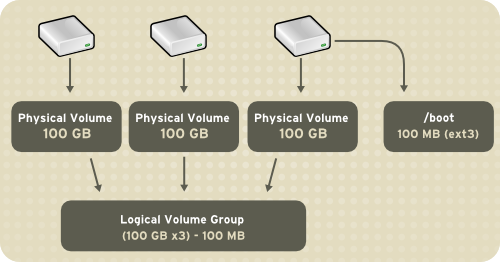
LVM --> is a tool which is used to add hard disk of different sizes and make it one big logical disk scenario - we have 3 hard disk of 10gb 5gb and 1gb , an application need 16gb of memory so using LVM we will add the 3 disk and make 1 logical disk of 16gb
installing lvm -- sudo yum install lvm2
- Creating logicaldisk
1 . add hard disk
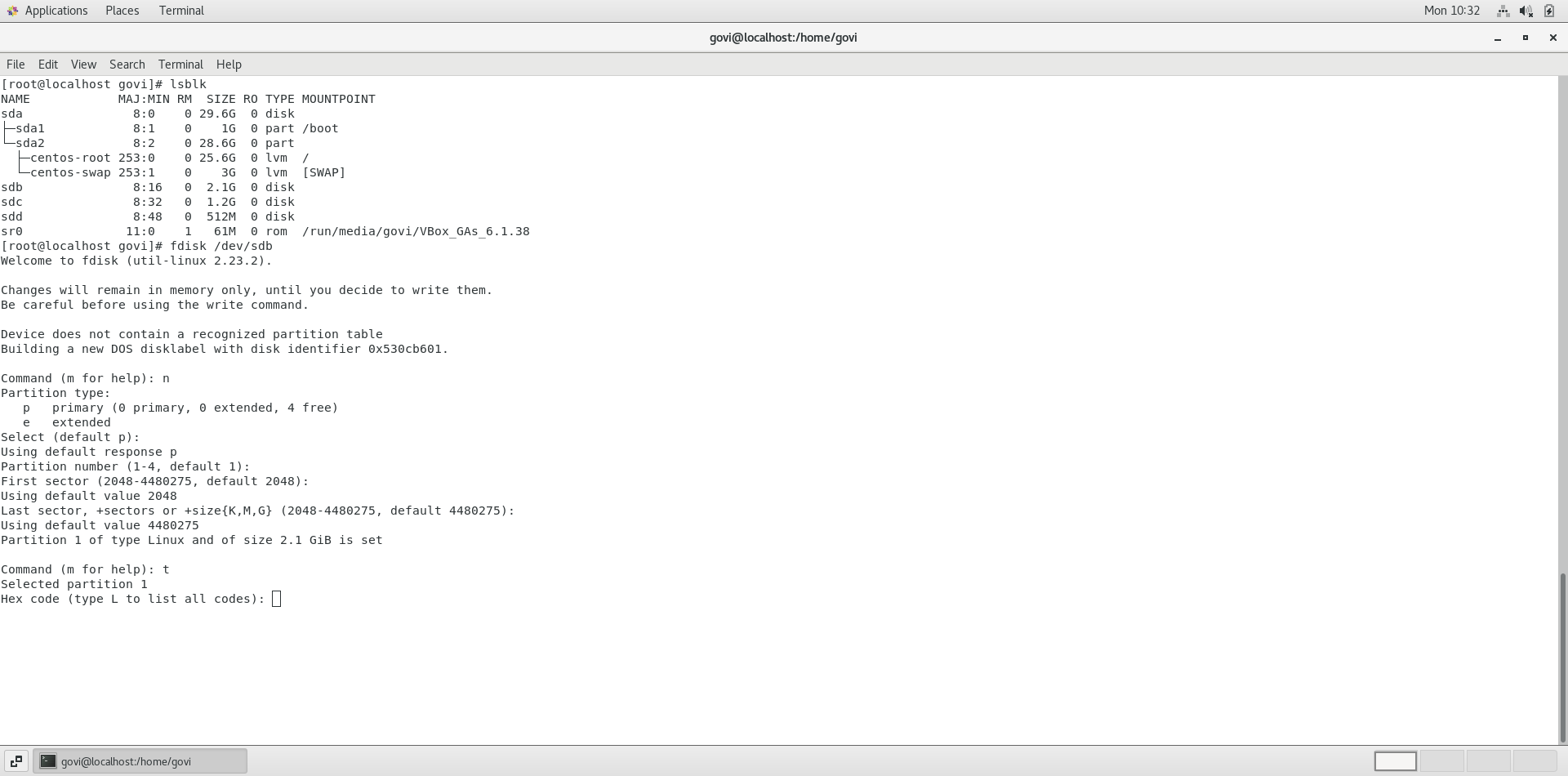
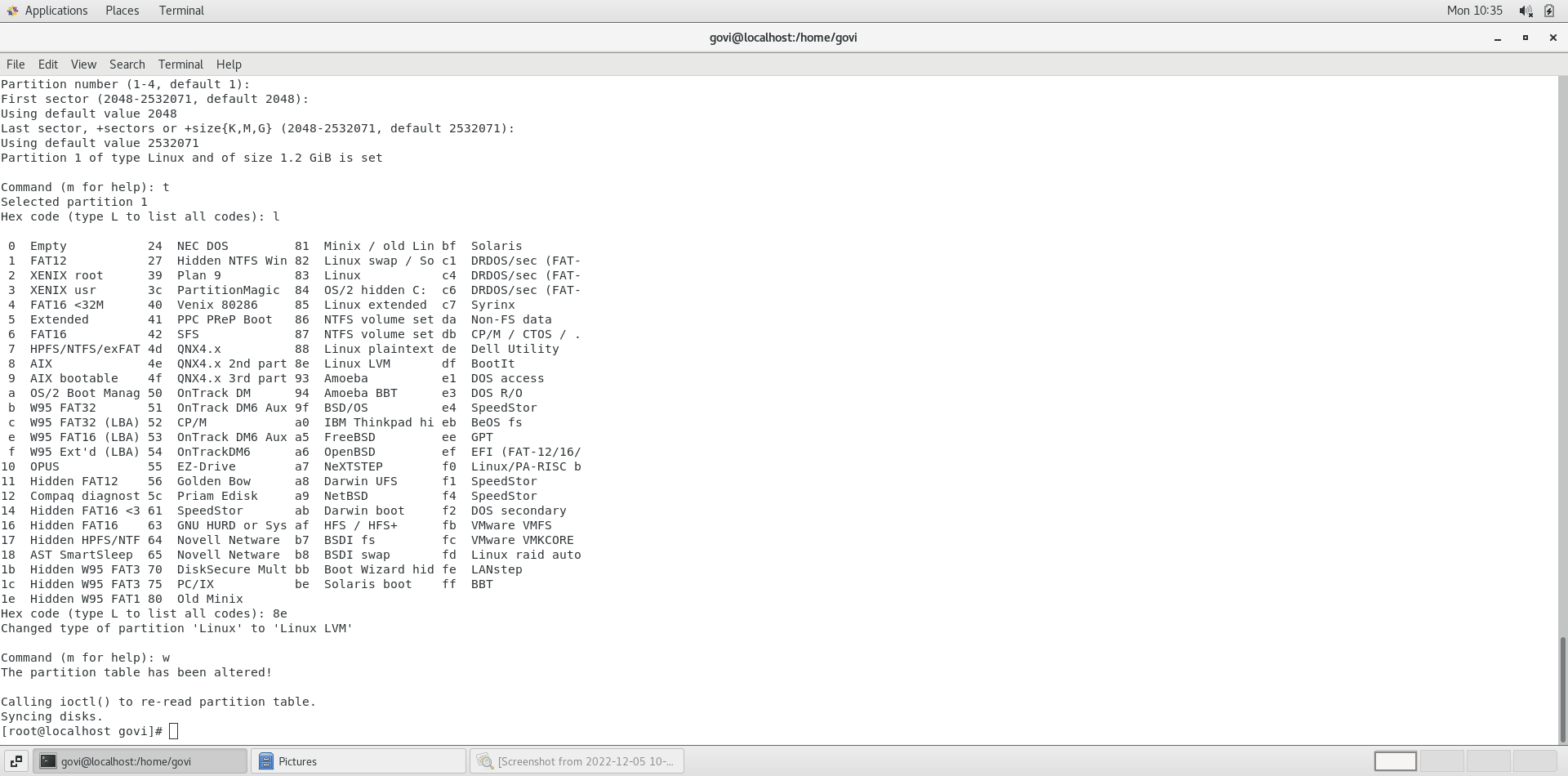
2 . partition the disk to lvm linux using fdisk$ fdisk /dev/sdd --> n (new partition) --> t(type lvm linux 8e) --> w (write)
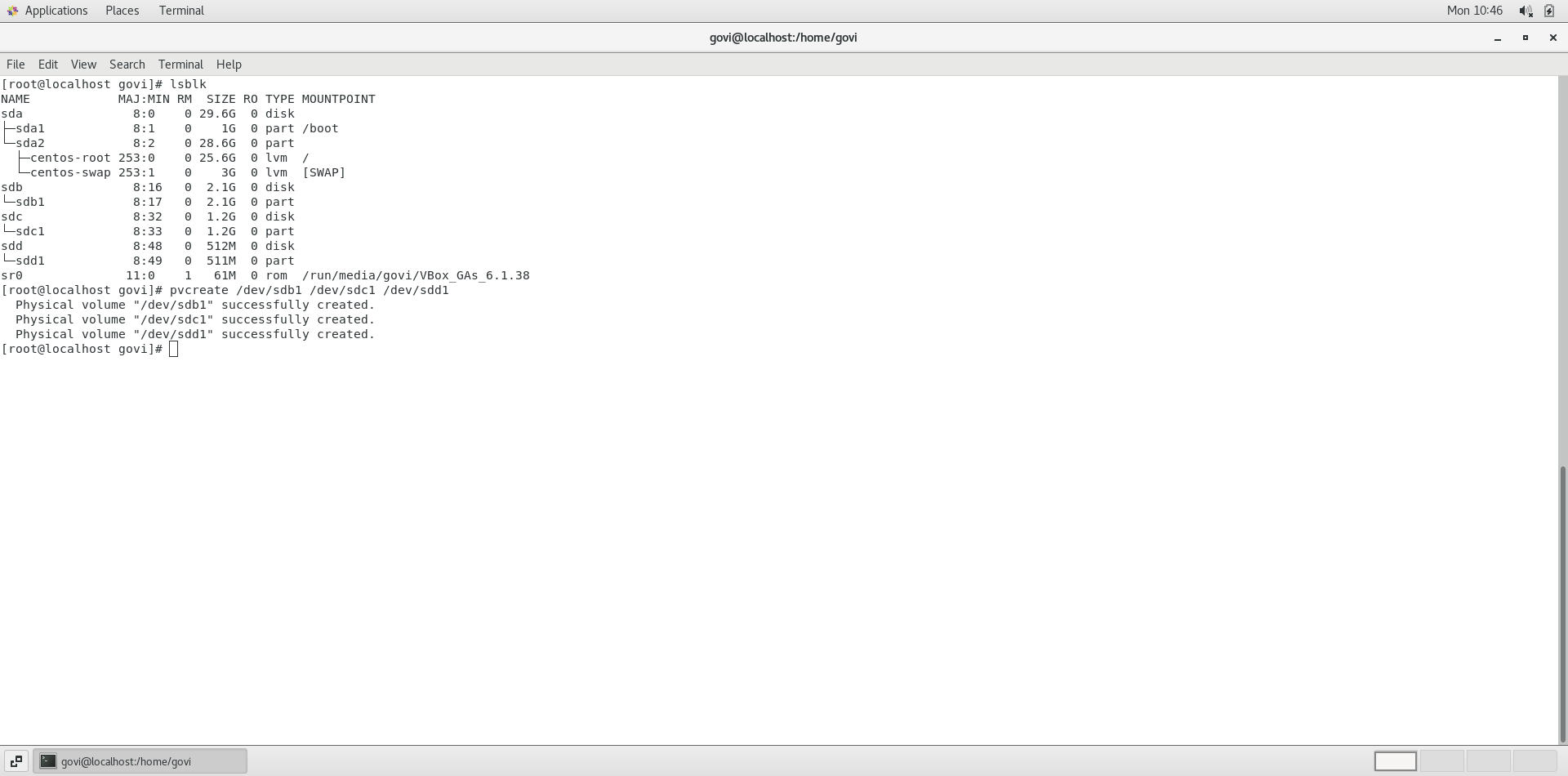
3 . create a physical volume
$ pvcreate /dev/sdb1 /dev/sdc1 /dev/sdd1
$ pvdisplay
4 . creating volume groups
$ vgcreate vgname /dev/sdb1 /dev/sdc1 /dev/sdd1
5 . creating logicalvolume $ lvcreate -n logicalvolname -L 300M VGNAME 300M is 300mb ,vgname is volgroup that is created $ lvcreate -n lgvol2 -l 50%FREE vgname (using percetange of space) $ lvdisplay (shows lv )
6 . creating file system
$ mkfs.ext4 /dev/vgname/lgvol2
7 . mount /dev/vgname/lgvol2 /mount